

If you are a blogger or a small business looking to grow your online presence, you need to be posting Instagram stories. You may be wondering; What is an Instagram story? Why should you bother with Instagram Stories? And how do you post stories if you are a complete beginner?
Table Of Contents
Beginners guide to Instagram stories
- What is an Instagram story?
- Why are Instagram stories important?
- How do I create an Instagram story?
- How do I add effects to Instagram stories?
- What is a highlight?
- What is a swipe up?
- What is the most important tip when it comes to Instagram stories?
What Is An Instagram Story?
Instagram stories are 15-second clips that are available to view on a profile for 24 hours. They can be in the form of photos, videos, boomerangs, superzooms and more. Keep reading and I will explain exactly why you need to be creating Instagram stories and exactly how to do it.

Why Are Instagram Stories Important For Growing Your Brand?
Instagram stories are a fantastic way to grow your account and increase brand awareness. They an amazing way to connect with your audience, deepen your relationships and develop the “know like and trust” factor.
The Instagram algorithm will reward you for investing time in your stories. The more someone watches your stories, the more your stories will be offered to them and the more likely your grid posts are to come up in their feed.
The fact that stories only last 24 hours means that your followers will have “fear of missing out” and be keen to catch them before they disappear.
How Do You Create An Instagram Story?
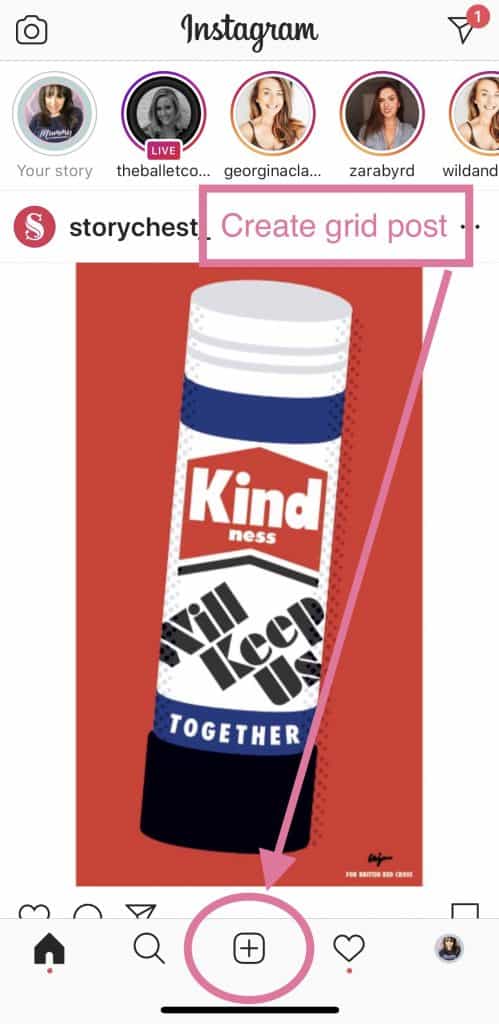
To create a story, tap the camera icon in the top left hand corner of your screen within the Instagram app.

Make sure that you do not mix up the camera at the top left with the plus icon at the bottom of the screen. The plus icon will allow you to add photos and videos to your grid. The types of content that go on your stories and grid are very different.
Remember
- Story content – casual, informal and only lasts 24 hours
- Grid content – more curated and lives on your grid indefinitely.
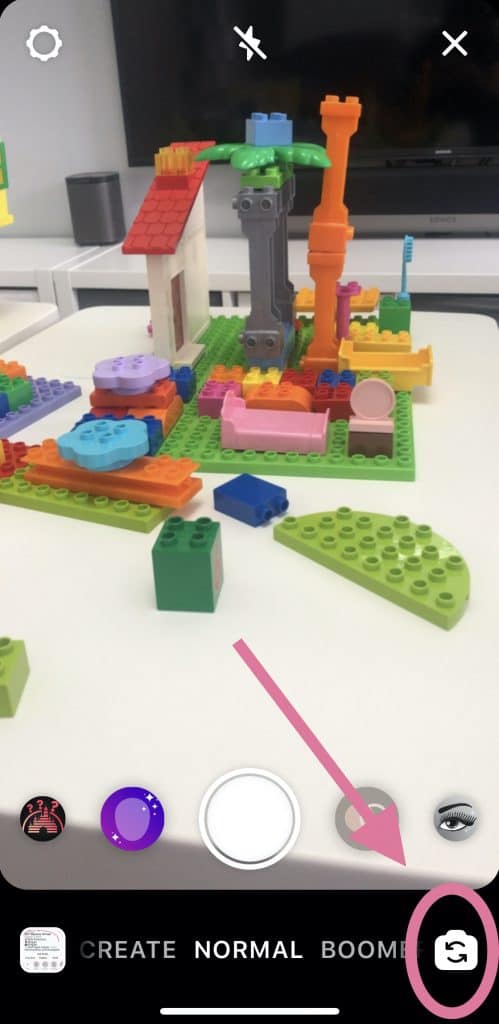
How do you turn the camera around in Instagram stories?
Turn your camera to face towards or away from you by toggling the “turn camera” icon in the bottom right of your screen.
How do you create an Instagram story?
Tap to take a photo to add to your story
Pressing the white button once will take a photo.
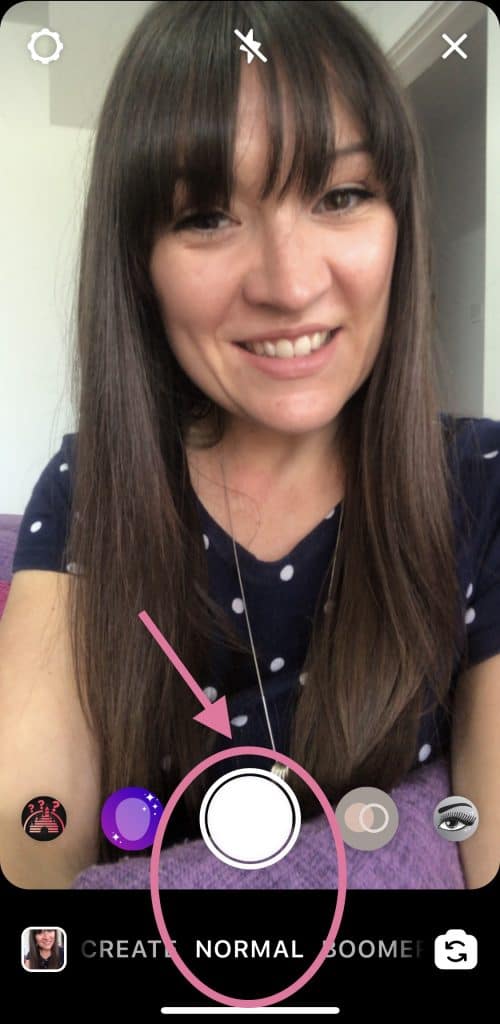
Holding this same white button down will record a video clip until you release it.
Use the “Subtle” filter to make your skin look amazing
There are lots of filter options to choose from on Instagram, but I like to use the “subtle” (purple icon) filter as it just smooths out your complexion. It is sometimes possible to add filters after you have taken a photo or clip, but I find it far easier to select the filter first.

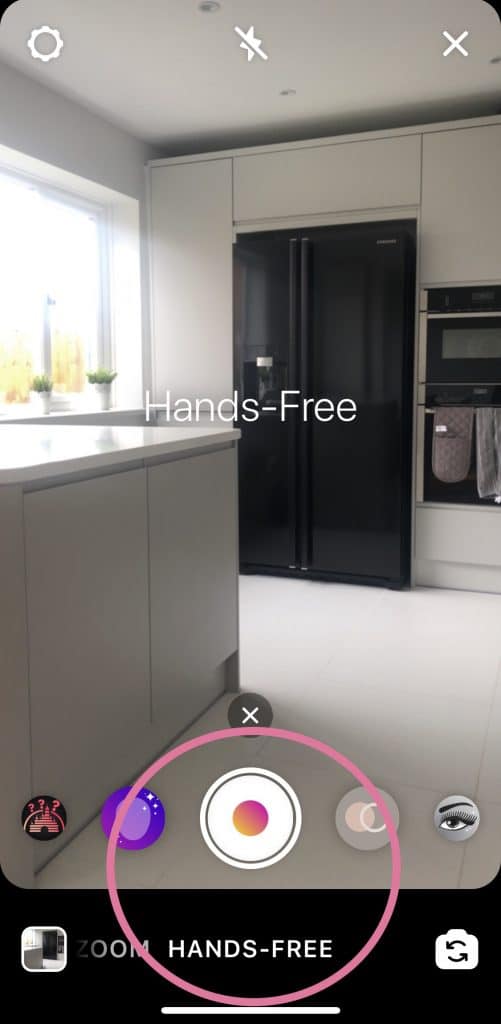
Create a video
Although you can take a video clip by holding down that first white button that we talked about, it is far easier to swipe across to the “handsfree”option.
Create a boomerang
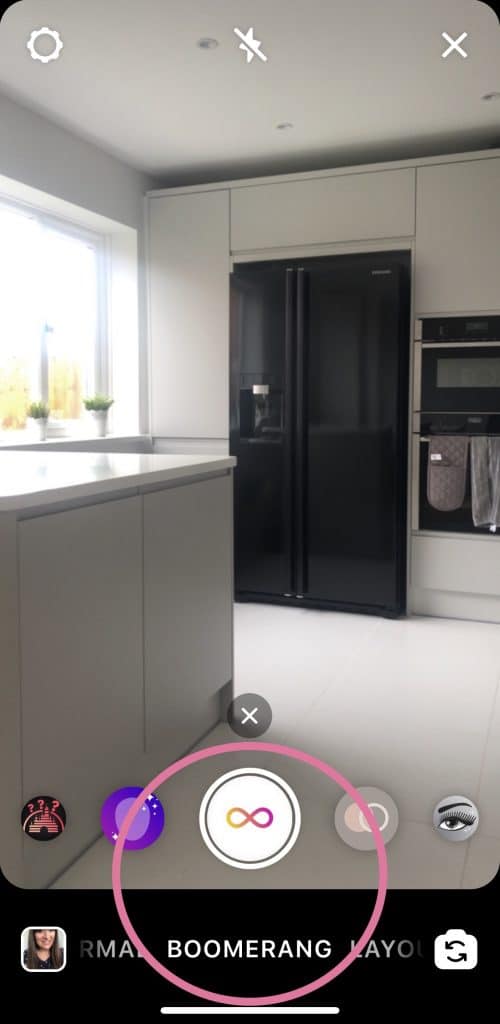
Choosing boomerang will record a clip lasting just over a second long and play it back and forth on a loop.
Create a superzoom
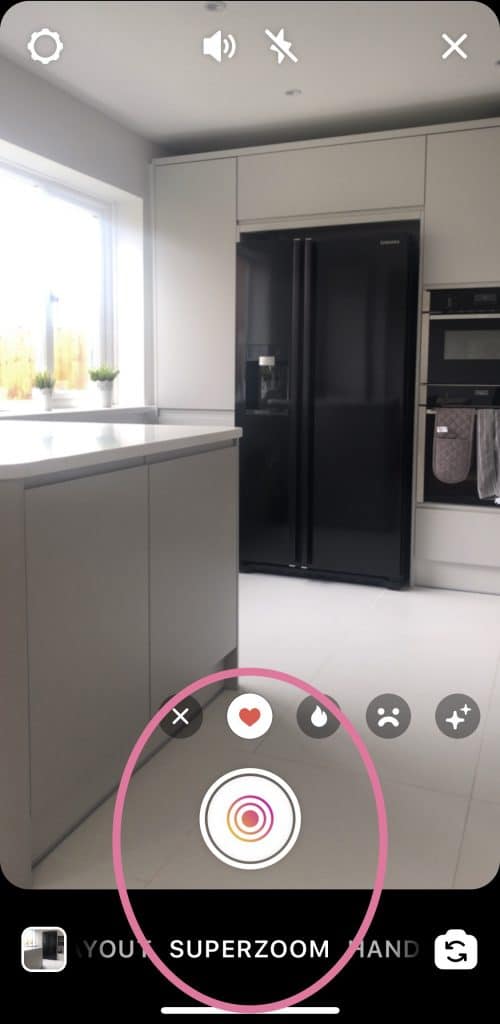
The superzoom feature adds visuall effects and musics to your clips. You have a few genre options to play around with, swipe to the superzoom option and take a look to see what I mean.
Create a text story
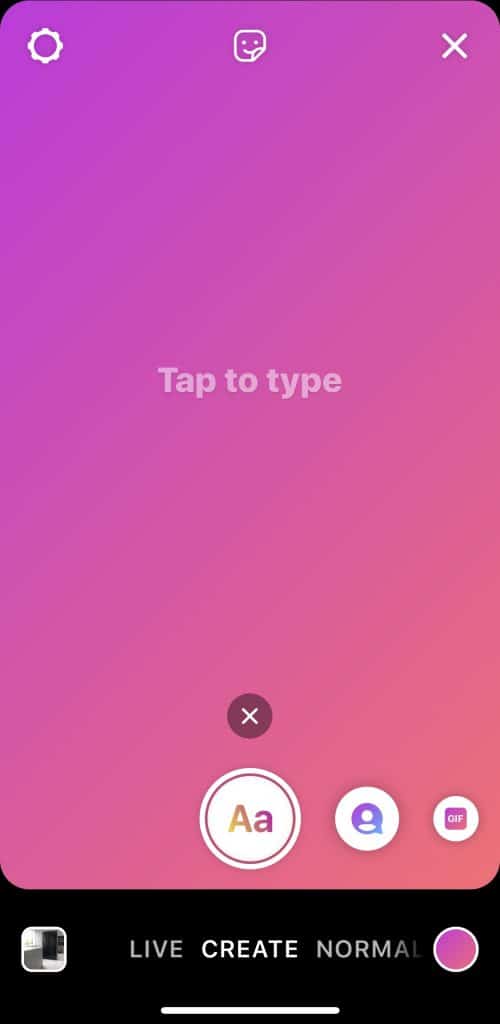
You could always keep it simple and add a text only frame to your stories.
Upload from your camera roll
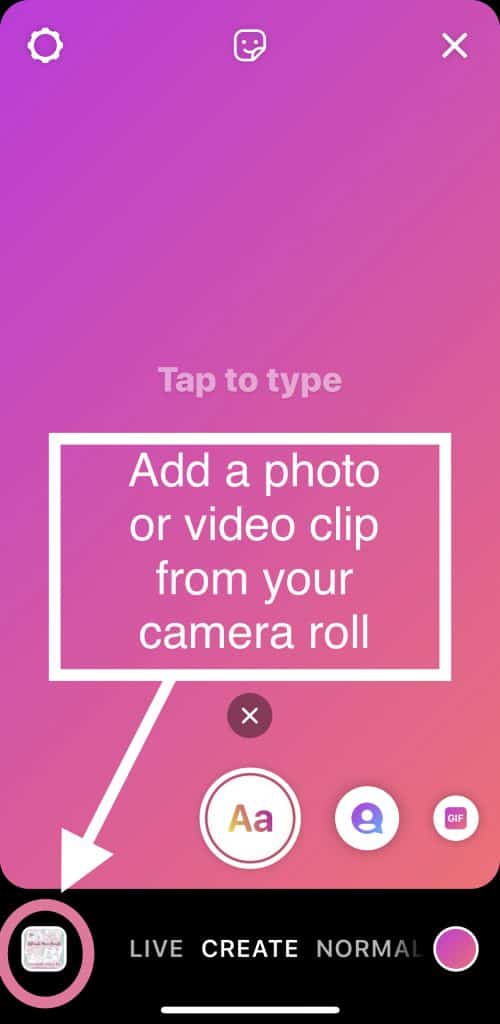
If you would like to use a photo or clip that you have already got on your phone, tap the square at the bottom left of your screen and select from your camera roll.
How do you add effects to your stories?
Add effects to your Instagram stories by tapping the square face icon at the top of your screen once you have your photo or video clip recorded or selected.
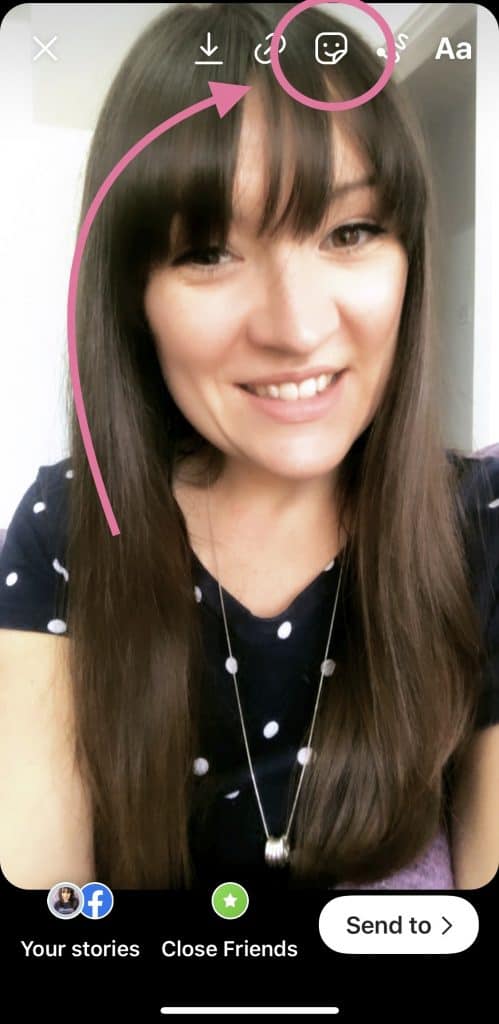
Add a location sticker
You can add your location using a sticker under the effects menu. While using locations can be beneficial in the algorithm, some accounts prefer to protect their privacy by not disclosing their exact location.
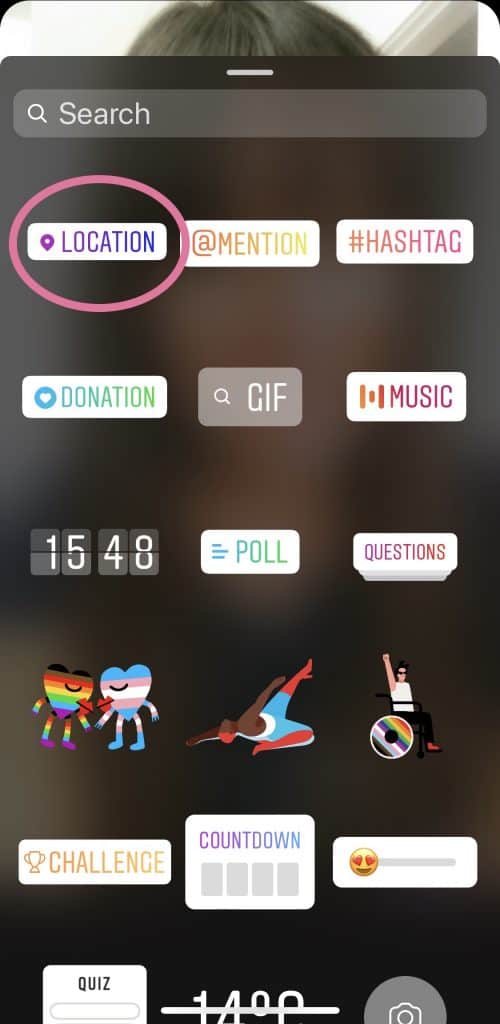
Tag another Instagram account
Use the @MENTION sticker to tag another Instagram account in your stories. This will be clickable so your followers will be able to visit the account that you tag.
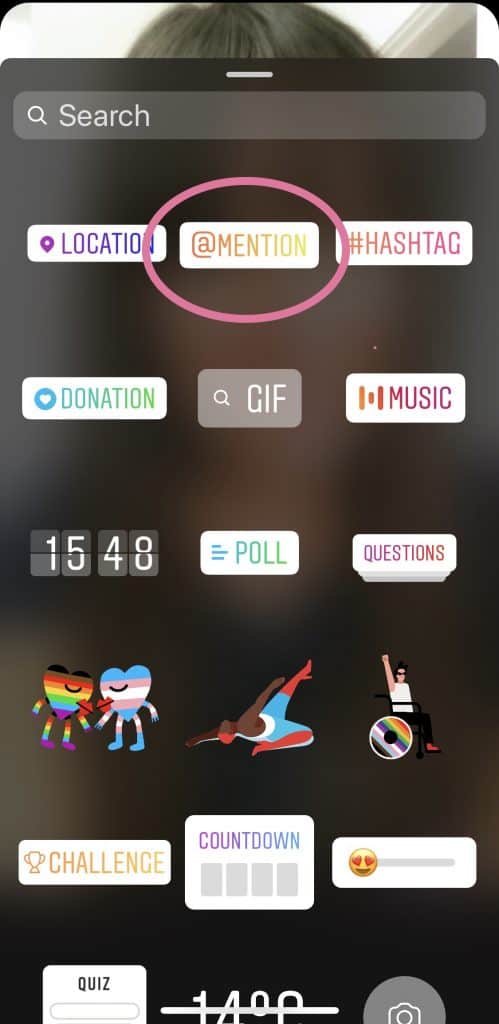
If you tag someone in your stories, they will be notified and offered the option to share your story in their stories.
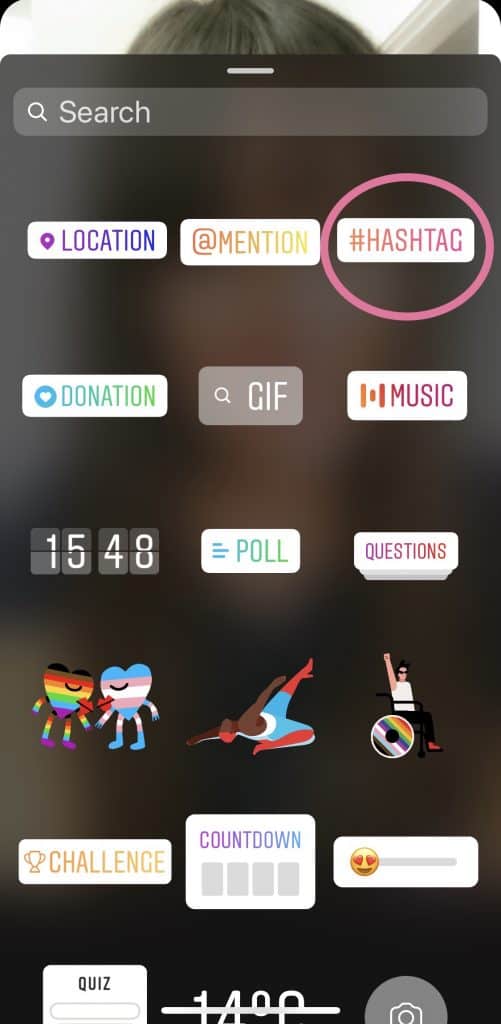
Add a hashtag
Adding hashtags to your stories may help you be found by other Instagram users searching for content like yours.
Add a poll
Polls are a great way too engage with your followers. You can change both the poll questions and the options for answers.
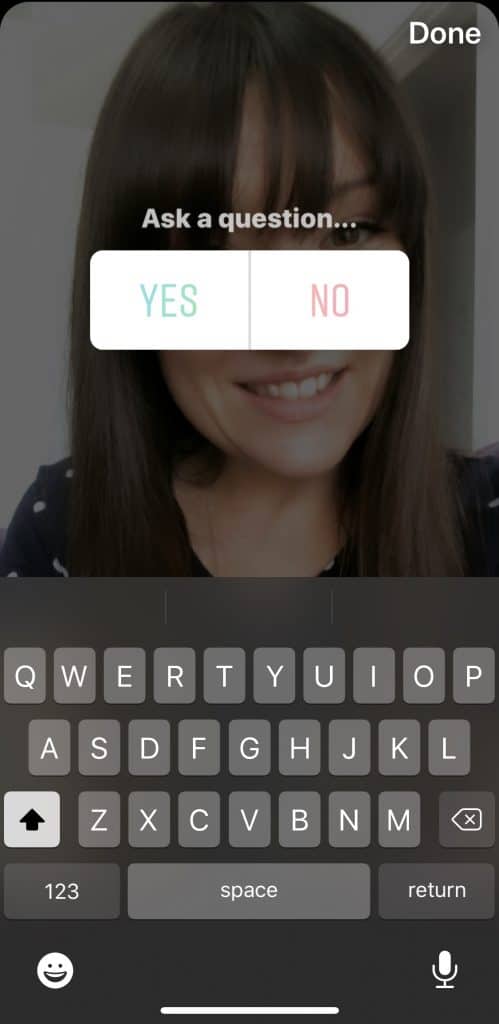
You could use polls to ask anything from whether people agree or disagree on a topic, love or hate an item of food, help you decide whether or not to do something, or which or 2 options you should purchase. It’s all about creating engagement with your audience.
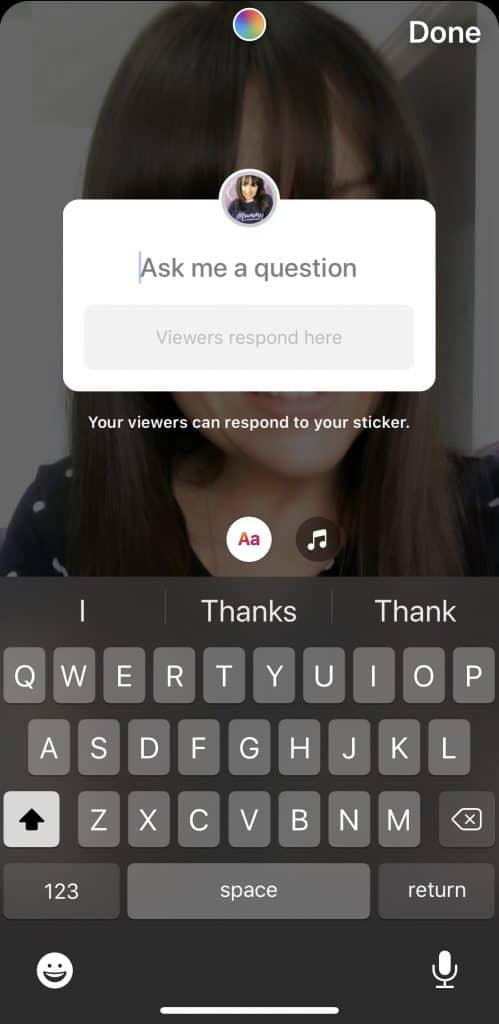
Add a question
Use the “ask a question” feature to gain direct feedback. You could ask your audience for questions to answer in a Q&A, ask them for advice on a topic or even just what they are having for dinner that night.
What Is An Instagram Story Highlight?
Instagram story highlights are collections of stories stored on your profile. This is a way of selecting specific special stories to live on after the 24 hour period has lapsed.

Create an Instagram story highlight by selecting the plus icon and choosing the story frames that you would like to include.
What Is A Swipe Up?
A swipe up in stories allows your viewers to access a link by swiping up the screen. You can add a swipe up tapping the link icon at the top of the screen when creating your story.
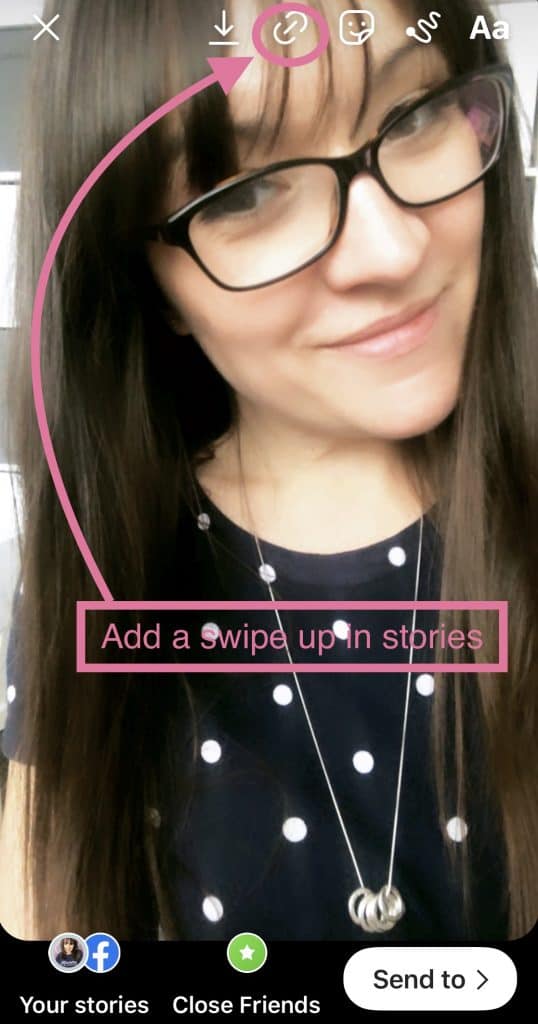
All accounts can link to their own IGTV videos through the swipe up feature, but only accounts with over 10,000 subscribers are able to link to external websites.
What Is The Most Important Tip When It Comes To Instagram Stories?
The most important tip is to just get started! So many people get all in their head and panic about what to post. They over think it to the point where they end up posting nothing.
Remember that Instagram stories only last for 24 hours, so whop cares if your first ones are a bit rubbish? The only way you will get better is with practice. The more you do, the better you will get and the easier it will become.
Start by challenging yourself to post a minimum of 5 story frames a day and work up from there. Work up to posting 10-20 frames a day just bringing your audience behind the scenes of your life a little and help them get to know you. It’s building this “know like and trust” factor that will help to grown your audience and, in turn, your brand.
Get The Ultimate Mum Bundle Now
Why Not Pin This For Later?

