

Are you interested in starting a YouTube channel If you want tips for how to start your YouTube channel and make it a success, plus learn how to brand your YouTube channel, choose your video topics, do keyword research the right way to get your videos found, watch the video below or keep reading.
Table Of Contents
Who am I and what is my YouTube story anyway?
Before we begin, allow me to introduce myself. Hi! I’m Rhi, Mummy Of Four and I started my YouTube channel back in summer 2017 and my blog in October 2017. My plan was to share all of the parenting tips, tricks, hacks and advice that I had learned having four children, that I just wish that someone had told me before I had my first baby.
After playing around with YouTube for a few months, I realised that it was a lot of work and left my channel dormant to focus on my blog.
My big channel relaunch
Fast forward to March 2019 when realised that my Instagram stories were so popular over on Instagram that I really wanted a more permanent way to connect with my audience via video, so I relaunched my channel. I had just 200 subscribers but was determined to make YouTube a viable part of my business.
Today I am sharing my YouTube lessons with you
Read on to learn exactly how to get started on YouTube the right way, plus all of the lessons that I had to figure out the hard way.
Start Today
Is it too late to start a YouTube channel? Is the platform already too saturated?
Sure, the best time to have started a YouTube channel was when YouTube launched back in 2005. The second best time to start? Today!
As many creators and vides as there are on YouTube today, there will be more tomorrow. Don’t delay, just start. Don’t wait for the perfect time or the perfect idea or the perfect camera, just start.
Know That Your First Videos Won’t Be Good
… and that’s ok! The silver lining of starting a brand new channel with zero subscribers is that not many people will see those first few videos. Every video you make will be a learning curve and with every video, you will learn and improve. Take a look at my first video below, it’s not great. Still, I did it and we all have to start somewhere! If I hadn’t made that video, I wouldn’t have a channel that is also my business today.
What do you really need to get started?
Do you need a fancy camera? An expensive computer? A full studio? Nope.
All you need to get started is your smartphone and a window for natural light. Prop your phone in front of the window, make sure you are facing the light and hit record. I filmed all of my first videos on my iPhone and edited them using iMovie on my iPad.

If you really want to make the first investment into your channel, grab yourself a tripod for about 20 quid and it’ll make angling and positioning your phone so much easier.
As your channel grows, by all means invest in better equipment to make your videos better and your life easier, but don’t let not having the “perfect” equipment be your excuse not to start at all.
Learn About How YouTube Works
As a new YouTuber, there are a few crucial things that you need to know.
YouTube is a search engine
YouTube is actually the second largest search engine in the world and it’s owned by the largest search engine in the world – Google.
When you are brand new and don’t have an audience, no-one is going to watch your videos unless they are searchable as no-one will even know that they are there. You need to think about making videos full of keywords that people are searching for (more on this later).
YouTube wants to keep people on YouTube
As with any other social platform, YouTube wants more than anything to keep its users on YouTube.
Why? because the longer a user stays on YouTube watching videos, the more ads they will see and the more money YouTube will make.
This is why YouTube rewards creators that help to keep people on the platform by showing their videos to more people. There are several metrics that YouTube looks at to decide whether they will show your videos to more people.
- CTR or click through rate shows the percentage of times someone clicked on your video after seeing the thumbnail (that little preview picture that comes with all videos)
- Views – the more views a video gets, the more likely YouTube will show it to more people and the more views it will get.
- Likes – the number of times a video has been given a thumbs up by a viewer
- Comments – the come comments a video receives, the more engaged the audience is in the eyes on YouTube. Top Tip – respond to every comment on your channel as your comment will help to drive up the comment count. It will also make your audience feel valued and make them more likely to watch and comment again.
- Watch time – this is arguably the most important metric in the YouTube algorithm at the moment. The longer you can keep users watching your videos, the better.
A Great Resource For New YouTubers
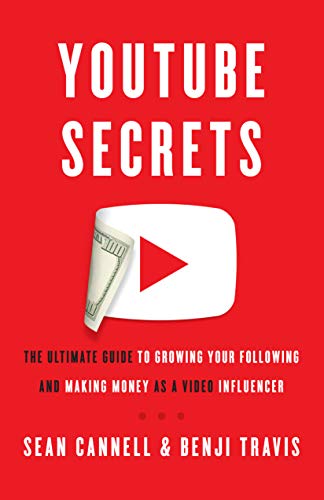
YouTube Secrets is a brilliant book that all new YouTubers should read or listen to on Audible. It explains exactly how YouTube works and reveals step by step what you should be doing to turn your channel into a success. You can listen to this book for free by claiming your Audible free trial.
Decide Who You Are Making Videos For
Who is your ideal viewer? How old are they? Do they have kids? What do they like to watch? What will they be searching for? Answering questions like these will help you decide which videos to make.
Think About Your Niche
Which sort of channel will you be? Which sort of content will you create? Your channel will do far better staying within one niche than making loads of random unrelated videos.
Pick An “E”
Which sort of channel will your be? What sort of value will your videos bring to your audience? Videos tend to fall under one of the “3Es”.
Educate
How-to videos and tutorials fall under the education category and are generally very searchable. This is usually a good place to start.
Videos that bring me views and subscribers to my channel every week include those from my cloth nappy series. Although I made these videos a while ago, they are still watched every day as they include tutorials and how-tos for getting started with reusable nappies and this is something that people are searching for.
Entertain
Funny videos, prank videos and vlogs are examples of entertainment videos on YouTube. These are often not as searchable, so it can be harder to see initial growth with these videos. The chatty day in the life vlog below is an example of an entertainment type video.
Empower
These videos bring people together and make them feel stronger and as if they are not alone. Videos talking about a difficult situation or experience are examples, such as the videos below where I talk about the end of our breastfeeding journey. I had so many comments and DMs after this video saying that people had felt exactly the same way when their babies were growing up.
Choose Your Own Mix
If I’m honest, most of my videos contain a mixture of education, entertainment and empowerment.
My potty training video was full of tips so it was educational, but it was also a vlog so could be classed as entertainment.
My Easter vlog was “entertainment” as it was a vlog, but it included tips about homeschooling during the pandemic (education) plus I talked about how we all feel at this time and how we are all struggling in our own ways (empowerment).
When you are making your videos, think about which of the 3Es you will include in your videos.
Be Consistent
A regular posting schedule is so important on YouTube. It’s so easy to be super enthusiastic in the early days and post videos every day, but can you realistically keep that up?
Decide how often you are going to post and stick to it. If that’s once a week (I wouldn’t suggest less than that), twice a week, or even three times a week, decide which days you will upload and tell your audience in every video. Like your favourite soap that always comes on at a certain time on a certain day, your audience will learn to look forward to your videos at your set times. As an added bonus, rumour has it (although no-one really know as they keep the exact science a secret) that the YouTube algorithm rewards you for posting regularly.
Brand Your Channel
In order to make your channel your own and make it identifiable to your audience, you need to decide on your branding. Don’t let this be a barrier to you putting out your first video, as branding is an ever-evolving process, but it’s defiantly something that you want to think about early on.
You need to pick the course, fonts and images that will make your channel stand out. Sound complicated? Luckily, if you don’t want to pay for a graphic designer just yet, I have a few tools that will help.
Coolors

Coolors is a free online colour palette generator that will help you pick complimentary colours for your brand. Use the tool to select your colours, then when you are happy, save an image of the pallet and make a note of the hex colours that you have chosen so that you can use them elsewhere.
Canva

Canva is a free online design software that is just amazing for YouTubers, bloggers and all other digital creators. I use Canva daily for creating graphics such as YouTube thumbnails, blog graphics and more.
To get started with your channel, you will need a YouTube profile picture (which shows up wherever you post), channel art (the header image for your channel) and a thumbnail for each video that you create.
Does all of this sound a bit overwhelming? Fear not! Canva has templates for all of these. There are paid upgrades for Canva (that I use) if you want to make use of them, but they also have a forever free plan that you can utilise.
Make Thumbnails Work For You
As I mentioned before, thumbnails are the little images that people see on YouTube that helps them decide whether or not to click on your video. There are a few important points to know about thumbnails.
Verify your channel
In order to allow “custom thumbnails” (a specific image that you upload as opposed to a screen shot of your video selected by YouTube), you will first need to verify your channel. See the video below for more information about how to do this.
Look at which type of thumbnails catch your eye and why
Are there certain styles, designs or colours of thumbnail that stand out ore? Keep this in mind when choosing your own branding and making your thumbnails.
Create eye-catching thumbnails
Once you have done your research into what is working for thatchers on YouTube, head to Canva, open one of their YouTube thumbnail templates and get designing!
Put the text on the left
If you are adding text to your thumbnails (which I suggest that you do), make sure that the text is on the left hand side of the thumbnail, as some of the right hand portion of the thumbnail is often obscured in YouTube, especially in the mobile version.
Keep in mind viewing devices
A large proportion of YouTube views come from mobile devices, so keep in mind that when your potential views sees your thumbnail, it may be very, very small. Make sure that the pictures and fonts that you use are clear and there is not too much text.
Key Word Research
Doing keyword research for your videos to make sure that the titles, descriptions and page are optimised for your videos to actually be found, I’ll be honest with you, is a pain in the bum.
My channel really started taken off when I discovered TubeBuddy.
What is TubeBuddy?
TubeBuddy is an amazing keyword research tool to help you choose the right keywords for your titles, descriptions and tags. I use this tool every single time I create my videos to make sure that I am creating the right videos with the right keywords. It also helps you analyse the access of videos that you have created and tells you which videos you should make more of.
Call To Action
Studies have repeatedly shown that people are more likely to do something if you ask them to. This is why, at the beginning and end of every video I ask people to;
- Like
- Comment
- Subscribe
- Hit the bell to be notified when I post more videos every Tuesday Thursday and Sunday at 7pm
Does every single person do all of those things? No. But asking means that you will get a lot more of those valuable engagements, which will signify to YouTube people like your videos and that they should be shown to more people.
Promote Your Channel Everywhere
Make sure that the link to your channel is on your Facebook profile, your LinkedIn profile, the link in your Instagram bio, on Pinterest, Twitter, Snap Chat, TikTok and any other social platforms that you may be on. The more places that people can find your channel, the more likely you are to grow.
Do More Of What Works
The key to real success on YouTube is to follow the data do more of what works. My most successful videos are currently speed cleaning videos, renovation updates, and shop with me and haul videos. I never in a million years thought that this would be the case when I started my channel. How do I know they are the most popular? By looking at the data.
YouTube studio is one way to do this, but the facility in MorningFame at analyse your videos and tell you which to make next really is the easiest way to ensure growth.
Upgrade As You Go
This is a lot of information to take in, I know, but don’t forget that you don’t have to do it all at once. Like I said at the beginning, you do not have to have the fanciest equipment to begin with, just upgrade little by little as you grow.
Not having all of your channel are perfect yet or your videos to the highest standard should not be a barrier to beginning. Start today! It’s the only way to grow.
Remember that every creator started with zero subscribers, they grew and you can too.
YouTube is a lot of work, yes, but the rewards from bailiff your channel and community are right way and be amazing.
Get The Ultimate Mum Bundle Now
Why Not Pin This For Later?

